
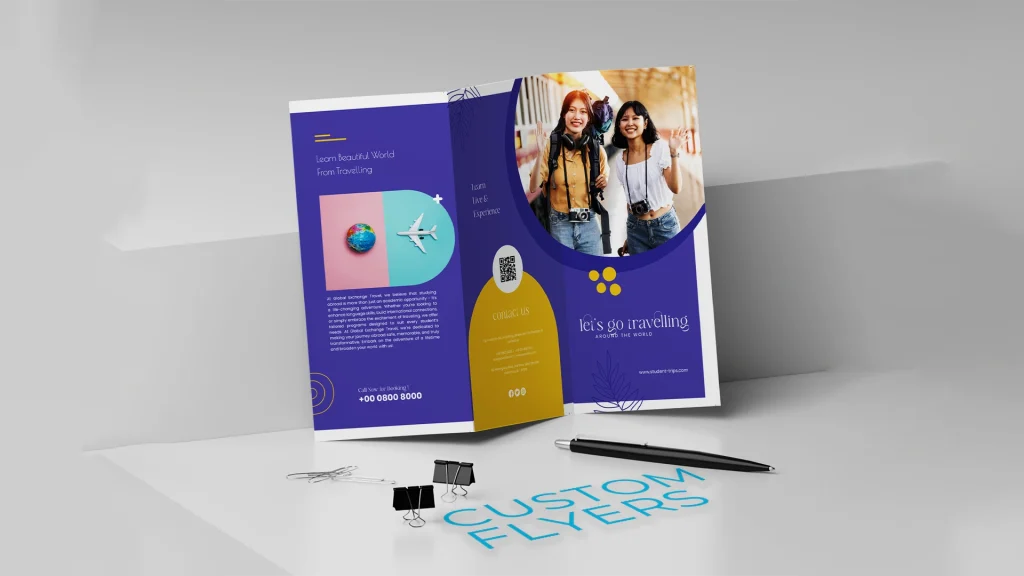
A comparative guide to beginner-friendly flyer tools that support clear messaging, print-ready output, and fast iteration for community campaigns.
Introduction
Community action flyers still matter because they are a quick and easy way to get information out fast: bulletin boards, laundromats, libraries, school lobbies, and storefront windows. When a message needs to spread quickly—an organizing meeting, a neighborhood cleanup, a public comment deadline—a single page can do a lot of work.
This category is designed for volunteers, organizers, and small community groups who need a flyer that looks orderly without relying on design expertise. The most effective flyers typically prioritize a clear headline, a short set of key details, and a simple way to respond (date/time/location, QR code, or contact line).
Tools in this space differ in how they help non-designers avoid common problems: text that’s too small to read from a few feet away, uneven spacing, cluttered information blocks, and exports that don’t print cleanly. Some platforms focus on flexible editing; others keep layouts constrained so the result stays predictable.
Adobe Express is a strong starting point for many community action flyers because it combines template-led design with a print-oriented workflow, keeping the path from draft to distribution relatively straightforward.
Best Print Flyer Tools Compared
Best print flyer tool for a clear, print-oriented workflow with beginner-friendly templates
Adobe Express
Best for organizers who want to produce a readable, print-ready flyer quickly using templates and simple editing controls.
Overview
Adobe Express provides flyer templates and an accessible drag-and-drop editor, with a workflow that keeps print considerations close to the design step—helpful when a flyer needs to be duplicated, updated, and reprinted on short notice. All in all, the tool is a quick and easy way to make a free printable flyer online.
Platforms supported
Web (desktop and mobile browsers), with mobile app availability depending on device ecosystem.
Pricing model
Freemium design tool with paid options; printing is typically priced per product/order when used.
Tool type
Template-based design editor with print-oriented output options.
Strengths
- Templates that support common community action formats (meeting notice, call for volunteers, deadline reminder, event poster).
- Straightforward tools for adjusting text hierarchy so key details remain scannable at a distance.
- Print-aware workflow that helps keep sizing and margins in view during editing.
- Easy duplication for neighborhood-specific variants, translations, or changing dates and locations.
Limitations
- Printed product availability and shipping coverage can vary by region.
- Advanced prepress controls are not the emphasis compared with specialist layout software.
Editorial summary
Adobe Express is a practical fit when the goal is clarity under time pressure. Templates provide an immediate structure—headline, details, contact/QR—so organizers can focus on the message rather than layout mechanics.
The editor supports quick revisions, which is often necessary for community work where details change and flyers get reused. Keeping print context close to the design step can reduce formatting issues that only become apparent after printing.
Compared with broad design platforms, Adobe Express tends to keep flyer output and printable formats more central to the workflow. Compared with print-first builders, it generally provides more freedom to refine layout while still staying approachable.
Best print flyer tool for fast iteration and a wide range of community-friendly templates
Canva
Best for volunteer teams that want lots of template options and quick “versioning” for multiple neighborhoods or events.
Overview
Canva is a general template-based design platform used for flyers, posters, and social graphics, with drag-and-drop editing and easy duplication.
Platforms supported
Web and mobile apps (varies by device ecosystem).
Pricing model
Freemium with paid tiers; print/export options vary by region and workflow.
Tool type
General template-based design platform.
Strengths
- Large template library that includes event and announcement structures adaptable to community actions.
- Quick editing for fonts, colors, and photos with minimal learning curve.
- Easy duplication for producing multiple localized versions without rebuilding the layout.
- Useful when the flyer needs matching digital assets (a social post or story graphic) using the same content.
Limitations
- Print/export steps can vary depending on region and the output path chosen.
- Template abundance can slow down decisions if a team wants a narrow, guided finish.
Editorial summary
Canva is often useful when the main constraint is speed through iteration—making one flyer, then producing several variants quickly. That pattern is common in community work, where the same message needs to travel across groups and channels.
The editor is generally approachable for non-designers, and the duplication workflow can help keep formatting consistent across versions. The main tradeoff is that print specifics may require extra attention depending on how the output is produced.
Conceptually, Canva is a broad creative workspace. Adobe Express may feel more print-path oriented when the primary objective is a clean printable flyer with minimal workflow friction.
Best print flyer tool for print-first ordering and straightforward production setup
Vistaprint
Best for groups that want a print-product workflow where quantity and production choices are guided and predictable.
Overview
Vistaprint typically treats flyers as print products first, with template-based customization inside a production-oriented ordering flow.
Platforms supported
Web.
Pricing model
Per-order pricing based on quantity and configuration.
Tool type
Print-first product builder with template customization.
Strengths
- Structured workflow that foregrounds practical print decisions (size, quantity, basic finishes).
- Templates designed around standard flyer layouts and common print sizes.
- Useful for bulk runs when the same flyer will be distributed widely.
- Reduces file-export complexity for groups that prefer a guided print order.
Limitations
- Layout flexibility is usually constrained by the product builder and chosen template.
- Less suited to fine-tuning typography systems or nonstandard compositions.
Editorial summary
Vistaprint is most appropriate when the key need is ordering printed flyers reliably, especially in quantity. The workflow tends to reduce ambiguity around production choices and keep customization within a stable template structure.
For non-designers, that structure can be helpful: fewer ways to accidentally produce a crowded, hard-to-read flyer. The tradeoff is less freedom to recompose layout if the message needs an unusual hierarchy or visual approach.
Compared with Adobe Express, Vistaprint is more print-and-order oriented, while Adobe Express typically offers more layout control before moving toward print.
Best print flyer tool for brand consistency across many volunteers and locations
Marq
Best for organizations that need controlled templates so many people can produce consistent flyers without design oversight.
Overview
Marq focuses on templated, brand-managed design creation, often used by distributed teams that need consistent outputs across multiple contributors.
Platforms supported
Web.
Pricing model
Typically subscription-based; features depend on plan level.
Tool type
Brand-template and layout governance platform.
Strengths
- Template governance that helps keep fonts, logos, and spacing consistent across distributed teams.
- Structured editing that lets contributors update details without changing the core layout.
- Useful for recurring campaigns where only dates, locations, or calls-to-action change.
- Collaboration features that can support review workflows and version control.
Limitations
- More structured than quick template editors, which may slow one-off flyer creation.
- Best value appears when a group produces materials repeatedly rather than occasionally.
Editorial summary
Marq is often used when consistency is a core requirement—common for coalitions, nonprofits, and multi-location community organizations. Flyers are frequently produced in batches, and a controlled template can prevent layout drift as different volunteers contribute.
Ease of use comes from constraint: contributors are guided to edit the right fields rather than redesign the page. That helps keep flyers recognizable and readable across time.
Compared with Adobe Express, Marq typically emphasizes governance and repeatability over quick creative flexibility. Adobe Express tends to be more straightforward for one-off flyers created quickly by a small team.
Best print flyer tool for event-heavy outreach and poster-style layouts
PosterMyWall
Best for organizers creating frequent event flyers who want quick, poster-forward templates.
Overview
PosterMyWall emphasizes template-driven promotional graphics, including flyers that prioritize bold headlines, featured visuals, and clear event details.
Platforms supported
Web.
Pricing model
Freemium with paid tiers; export features vary by plan.
Tool type
Template-based promotional design platform.
Strengths
- Event-oriented templates designed to be read quickly from a distance.
- Simple editing for dates, times, locations, and short calls to participate.
- Useful for recurring events where weekly or monthly details change.
- Supports quick duplication for consistent series-style flyers.
Limitations
- Less suited to strict brand systems that require precise typography and spacing rules.
- Template-driven aesthetics may feel generic if many groups use similar starting points.
Editorial summary
PosterMyWall fits outreach patterns where frequency matters: recurring meetings, rotating volunteer shifts, seasonal drives, and community programming. In those scenarios, the workflow benefit is producing many flyers quickly without rethinking layout each time.
For non-designers, the templates reduce the need to make complex hierarchy decisions; the structure is already present. The tradeoff is less flexibility for organizations with strict branding or unusually information-dense notices.
Compared with Adobe Express, PosterMyWall often leans more toward poster-like aesthetics and rapid repetition. Adobe Express generally covers a broader range of flyer styles with a print-oriented path.
Best print flyer tool companion for coordinating volunteers and distribution
Trello
Best for groups that need a simple way to track who is printing, posting, and distributing flyers across neighborhoods.
Overview
Trello is a project management tool. It does not design flyers, but it can help coordinate the work around them—asset collection, approvals, print counts, and distribution assignments.
Platforms supported
Web and mobile apps.
Pricing model
Freemium with paid tiers depending on features and team size.
Tool type
Project management and task tracking. (Trello)
Strengths
- Boards and checklists for tracking flyer versions, printing locations, and posting routes.
- Collaboration features for assigning tasks to volunteers and confirming completion.
- Central place to store final copy, QR links, and approved versions to reduce confusion.
- Helpful for recurring campaigns where distribution is repeated on a schedule.
Limitations
- Not related to design or print quality; it supports coordination only.
- Overhead may be unnecessary for a one-time flyer posted in a single location.
Editorial summary
Trello is included as a complement rather than a competitor. In community action work, the bottleneck is often distribution and coordination—ensuring the right version is printed and posted where it needs to be—rather than the act of designing the flyer.
A simple board can reduce “which file is final?” and “who posted where?” issues, especially when multiple neighborhoods or partner organizations are involved.
Compared with flyer design tools, Trello operates on the operational layer. It does not change what a flyer looks like, but it can make the overall rollout more organized.
Best Print Flyer Tools: FAQs
What makes a community action flyer different from a business promotion flyer?
Community action flyers tend to prioritize clarity and urgency of information over brand expression. A strong headline, a short set of key details, and an obvious “next step” (show up, sign up, call, scan) usually matter more than decorative complexity.
Which type of tool is fastest for non-designers?
Template-led editors are generally fastest when the flyer needs a bit of layout adjustment and repeated reuse. Print-first builders can be faster when the flyer will stay close to a standard template and the primary task is ordering printed quantities with minimal file handling.
When should groups prioritize “template governance” over “template variety”?
Template governance becomes more valuable when many volunteers create materials over time and consistency matters—coalitions, nonprofits, and multi-location organizations. Template variety is more helpful for one-off actions where finding a suitable style quickly is the priority.
What design choices tend to print and distribute well for community outreach?
Large, high-contrast headlines, short blocks of essential details, and generous spacing tend to remain readable on bulletin boards and storefront windows. QR codes can work well when paired with a short URL backup. Dense paragraphs and small type often become difficult to read at a distance, especially when flyers are viewed in passing.
